3D Digital Art Classes
Students animate their creative visions using skills in 3D art, including animation techniques, 3D sculpting, and more!
About This Class
Your student will learn professional 3D modeling and digital art using industry-standard tools like Blender. They'll create characters, environments, and animations, gaining skills used in movies, games, and digital design. Students learn 3D modeling fundamentals, sculpting techniques, texturing, and basic animation.
Tech Tails' digital art classes for kids introduce the same 3D modeling and animation process used in movies and games, taught live and 1-on-1 over Zoom. Instead of generic tutorials, each student works with a dedicated instructor on projects tied to what they actually want to make, whether that's a game character, a fantasy creature, or an environment inspired by a favorite show. Sessions build from basic shapes and sculpting in tools like Blender and SculptGL toward texturing in Substance Painter and simple animation with Mixamo.
Younger students often start with 2D drawing in Procreate or Krita before moving into 3D, while teens can dive straight into industry software like Maya or ZBrush. Every project is personalized to the student's pace and interests.
What You'll Learn
3D modeling
Sculpting
Texturing
Animation
Character design
Environment design
What they can build
Examples. Every student's path is built around their own interests.
A low-poly character model
Sculpt a simple stylized character from basic shapes in Blender or SculptGL, learning how 3D artists build up complex forms one piece at a time.
A textured game-ready prop
Model an object like a sword, potion bottle, or treasure chest in Blender, then paint realistic materials onto it using Substance Painter or Adobe Photoshop.
A rigged and animated character
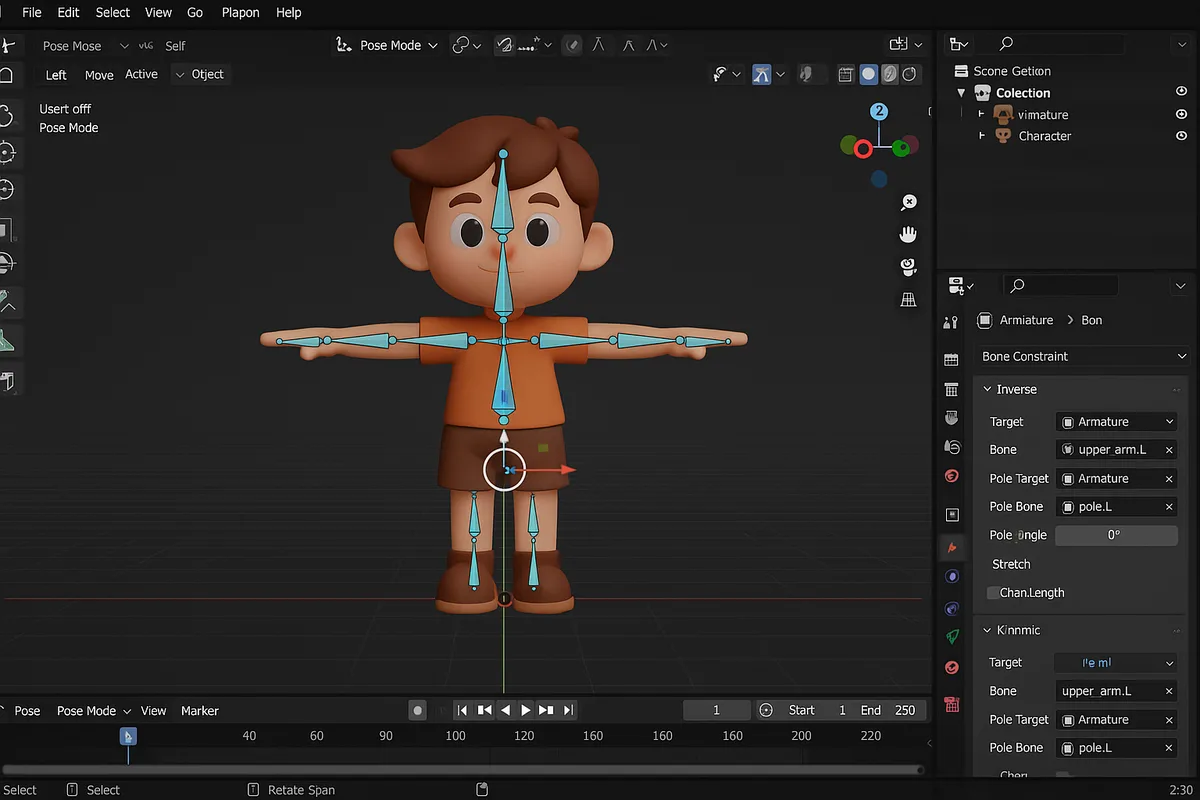
Take a finished character model into Mixamo to add a skeleton and a basic walk or idle animation, seeing it move for the first time.
A concept art piece
Design an original character or environment concept in Procreate or Krita, practicing color, lighting, and composition before ever opening a 3D program.
A detailed sculpt in ZBrush
Sculpt fine details like scales, wrinkles, or armor plating on a creature or character, the same high-detail workflow used in film and game production.
A small 3D environment
Build a simple scene, like a bedroom, forest clearing, or spaceship interior, in Blender or SketchUp, learning how individual props combine into a finished space.
How Your Student Progresses
- 1
Getting started
New students usually begin with basic shapes and simple sculpting in Blender or SculptGL, or with 2D drawing fundamentals in Procreate or Krita if they're newer to digital art overall. Early sessions focus on comfort with the software's tools and camera controls, building toward a first finished character or object.
- 2
Building skills
Students add texturing with Substance Painter or Adobe Photoshop, learning how color, material, and lighting bring a flat model to life. They also begin basic rigging and animation in Mixamo, and start planning projects around a theme or story rather than single, disconnected exercises.
- 3
Going further
Advanced students move into detailed sculpting in ZBrush, character work in Maya, or full environment building in Blender and SketchUp, aiming for portfolio-quality pieces. At this stage, instructors help students refine a personal art style and build a body of work for school applications, competitions, or their own portfolio.
Is this class a good fit?
3D Digital Art classes are great for kids who:
- love drawing, sculpting, or building things with their hands
- are inspired by the characters and worlds in their favorite games and movies
- enjoy seeing an idea take shape gradually, one detail at a time
- want to build a portfolio of finished art rather than one-off exercises
- are curious about careers in animation, game art, or visual effects
How Classes Work
Private 1-on-1
Every session is a private lesson between your student and their dedicated instructor. No group classes.
Live on Zoom
Classes happen live over Zoom from the comfort of home. All you need is a computer and internet.
Full 1-Hour Sessions
Each session is a full hour of focused, engaging live instruction.
Weekly Schedule
Pick a weekly time that works for your family. Consistent scheduling builds lasting skills.
Tools & Software
Students work with industry-standard tools used by professionals
Tools vary based on student level and project goals
3D Digital Art FAQ
What age can my child start digital art classes?
Tech Tails' digital art classes are designed for students ages 7 and up. Younger students often start with 2D drawing in Procreate or Krita to build fundamentals, while older students can move directly into 3D modeling in Blender. Because every session is 1-on-1, the instructor adjusts the starting tools and pace to your child's age and interests.
Does my child need to know how to draw before learning 3D modeling?
No. Traditional drawing skill can help, but it isn't required. Many students start 3D modeling in Blender with no drawing background at all, learning to build forms from basic shapes rather than sketching first. Instructors introduce color and composition concepts gradually as students progress toward texturing and more detailed work.
What software does my child need for digital art classes?
It depends on the student's curriculum. Blender, the core 3D tool most students use, is free. Krita is also free for 2D drawing, alongside Procreate. Professional tools like ZBrush, Substance Painter, and Maya are introduced for more advanced students. The instructor will confirm exactly what to install as your student progresses.
Can my child do digital art classes on a tablet instead of a computer?
Some parts of the curriculum work well on a tablet, particularly 2D drawing in Procreate on an iPad. Full 3D modeling and sculpting tools like Blender, ZBrush, and Maya are built for a computer with a mouse or drawing tablet. Your instructor can recommend the right setup based on which tools your student's curriculum uses.
Will my child build a portfolio they can actually use?
Yes. Digital art sessions are project-based from the start, so students build a collection of finished characters, props, and scenes over time rather than isolated exercises. Older students working toward college applications, competitions, or freelance work often use later sessions specifically to refine and finish portfolio pieces with their instructor.
Keep Exploring
Who teaches
- Skyler CameronFull Stack Development Expert
- Evan SternSenior Game Developer
- Austin WeeksUnity & AI Specialist
- Tyler BurgentsGame Development Expert
- Jaycee SalinasGame Developer & AI Specialist
Scholarships
We accept many education scholarships and ESA programs. If you have education funding, we can likely accept it.
Learn MoreReady to Get Started?
Try a full 3D Digital Art class for free. No payment, no obligation.
Claim Your Free Trial Class