Roblox Development Classes
Build and script your own Roblox games using Roblox Studio and Lua programming.
About This Class
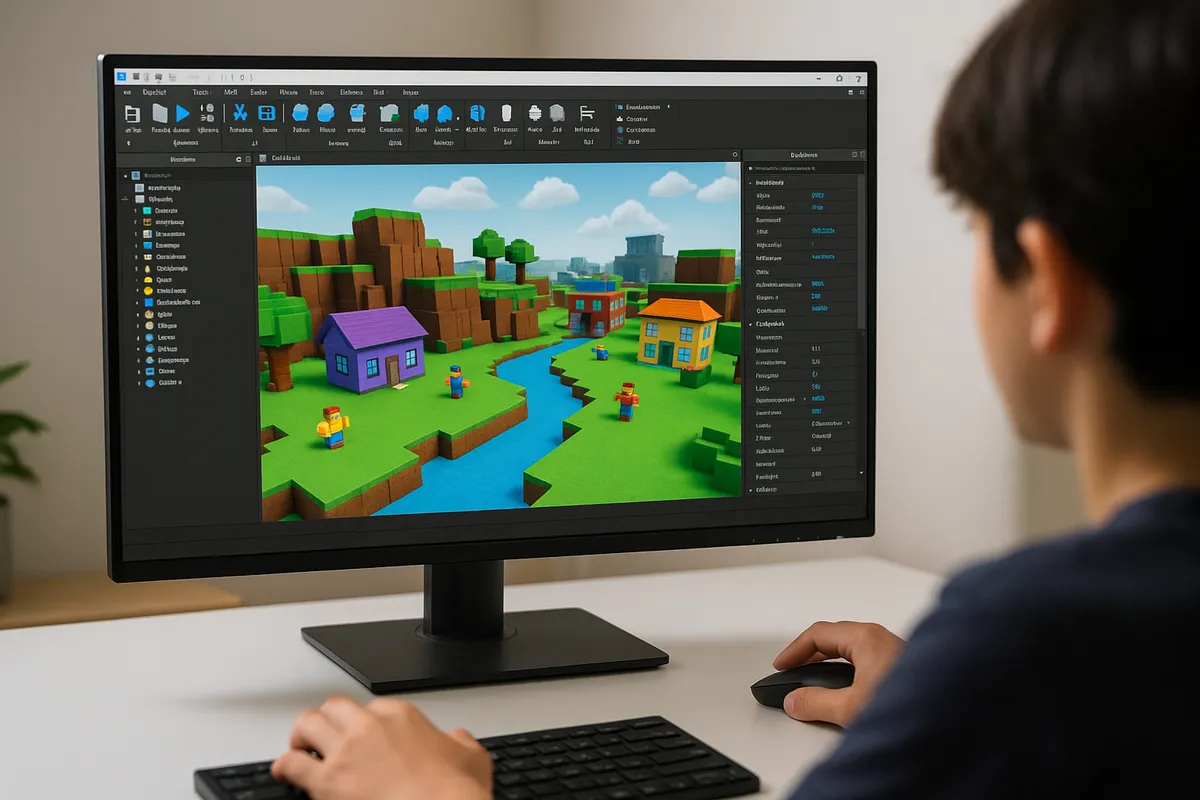
Students learn to create immersive Roblox experiences using Roblox Studio. From designing worlds and building environments to scripting game mechanics in Lua, they'll gain real development skills while working on games they can share with friends. Perfect for kids already passionate about Roblox.
Tech Tails' Roblox development classes for kids turn one of the most popular games among kids into a private, 1-on-1 introduction to real game development. In live weekly Zoom sessions, a dedicated instructor teaches students to build worlds and mechanics in Roblox Studio, then script the logic that makes them work using Lua, the actual programming language behind every Roblox experience. Beginners often start with world building and simple pre-made scripts, learning how Roblox Studio's tools fit together, before writing their own Lua code for things like scoring systems, doors, or enemy behavior.
More advanced students add custom 3D models built in Blender and reference the Roblox Developer Hub the way a working developer would, learning to research and solve problems independently. Every project is something students can actually publish and share with friends.
What You'll Learn
Roblox Studio
Lua scripting
World building
Game mechanics
UI design
Publishing games
What they can build
Examples. Every student's path is built around their own interests.
A themed obby or adventure map
Design a full obstacle course or explorable world in Roblox Studio, then script checkpoints, timers, and win conditions using Lua.
A working shop or currency system
Build an in-game store where players spend earned currency on items or upgrades, scripting the logic in Lua that tracks and updates player data.
A custom 3D model or accessory
Model a piece of gear, a vehicle, or a decorative object in Blender, then import it into Roblox Studio as a usable in-game item.
A simple multiplayer minigame
Script a round-based minigame, like a tag or survival mode, learning how Lua handles multiple players interacting in the same Roblox experience at once.
A custom user interface
Design and script a menu, inventory screen, or heads-up display in Roblox Studio, learning UI design principles alongside Lua scripting.
A published, shareable Roblox game
Take a finished project through publishing settings in Roblox Studio, using the Roblox Developer Hub to learn how creators share and update live experiences.
How Your Student Progresses
- 1
Getting started
New students learn to navigate Roblox Studio, placing and adjusting objects to build a simple world, and start reading and lightly editing pre-written Lua scripts. Early projects, like a basic obstacle course, focus on comfort with the building tools before scripting becomes the main focus.
- 2
Building skills
Students begin writing their own Lua scripts to control gameplay, like scoring, doors, or simple enemy movement, and start referencing the Roblox Developer Hub to look up functions themselves. Projects grow to include more interactive systems, like shops or basic multiplayer mechanics.
- 3
Going further
Advanced students build more complex, multi-system games, often combining custom 3D models from Blender with more advanced Lua scripting for things like inventories or round-based gameplay. At this stage, students work toward publishing a polished, shareable game and researching solutions independently using the Roblox Developer Hub.
Is this class a good fit?
Roblox Development classes are great for kids who:
- already spend a lot of time playing and building in Roblox
- want to move from playing games to actually making them
- enjoy problem-solving and are willing to debug something that isn't working yet
- like the idea of publishing something friends can actually play
- are curious about scripting and real programming logic
How Classes Work
Private 1-on-1
Every session is a private lesson between your student and their dedicated instructor. No group classes.
Live on Zoom
Classes happen live over Zoom from the comfort of home. All you need is a computer and internet.
Full 1-Hour Sessions
Each session is a full hour of focused, engaging live instruction.
Weekly Schedule
Pick a weekly time that works for your family. Consistent scheduling builds lasting skills.
Tools & Software
Students work with industry-standard tools used by professionals
Tools vary based on student level and project goals
Roblox Development FAQ
What age can my child start Roblox development classes?
Roblox development classes are open to students ages 7 and up. Younger students typically start with world building and simple pre-made scripts in Roblox Studio, while older students move faster into writing their own Lua code. The instructor adjusts pacing and project complexity to your child's age and Roblox experience.
Does my child need to know how to code already?
No. Many students start with no coding background and begin in Roblox Studio's building tools, learning to read and lightly edit existing scripts before writing their own. Lua, the scripting language behind Roblox, is introduced gradually so students build real programming skills at a comfortable pace.
Can I use an education scholarship to pay for Roblox classes?
Yes. Roblox sessions are ordinary 1-on-1 classes, so families regularly cover them with education scholarship funds such as Utah Fits All, Arizona ESA, and Florida's Step Up For Students programs. Tell us which program you have and we will walk you through paying with it. Eligibility and approved expenses are set by each program, so confirm current rules with yours.
Is Roblox Studio free to use?
Yes. Roblox Studio, the tool students use to build and script games, is free to download and use. Blender, used for custom 3D models in more advanced projects, is also free. Your instructor will confirm any additional setup needed during the free trial class.
Will my child be able to publish and share their Roblox game?
Yes, that's often a goal of the class. Once a project reaches a working, polished state, students can learn to configure publishing settings in Roblox Studio and share their game with friends, following the same process Roblox creators use, guided by the Roblox Developer Hub.
How is this different from the Game Design class?
Roblox development focuses specifically on Roblox Studio and Lua scripting, ideal for students already invested in that platform. The Game Design class covers a wider range of engines, including Unity, Unreal Engine, and Godot, for students who want to explore game development more broadly or aren't specifically focused on Roblox.
Keep Exploring
Related classes
Who teaches
- Skyler CameronFull Stack Development Expert
- Evan SternSenior Game Developer
- Austin WeeksUnity & AI Specialist
- Tyler BurgentsGame Development Expert
- Jaycee SalinasGame Developer & AI Specialist
Scholarships
We accept many education scholarships and ESA programs. If you have education funding, we can likely accept it.
Learn MoreReady to Get Started?
Try a full Roblox Development class for free. No payment, no obligation.
Claim Your Free Trial Class