Basic Computer Skills Classes
Build essential digital literacy: typing, file management, internet safety, and productivity tools.
About This Class
A foundational program for students who need to build core computer skills. Covers typing, file management, internet safety, email, cloud storage, and basic productivity tools. Perfect for younger students or those just getting started with technology.
Tech Tails' basic computer skills classes for kids build the everyday digital literacy that every other tech subject depends on, starting with students as young as 6. In live, 1-on-1 sessions over Zoom, a dedicated instructor teaches typing, file organization, safe and responsible internet use, and the basics of email and cloud storage using tools like Google Workspace, Google Drive, and Typing.com.
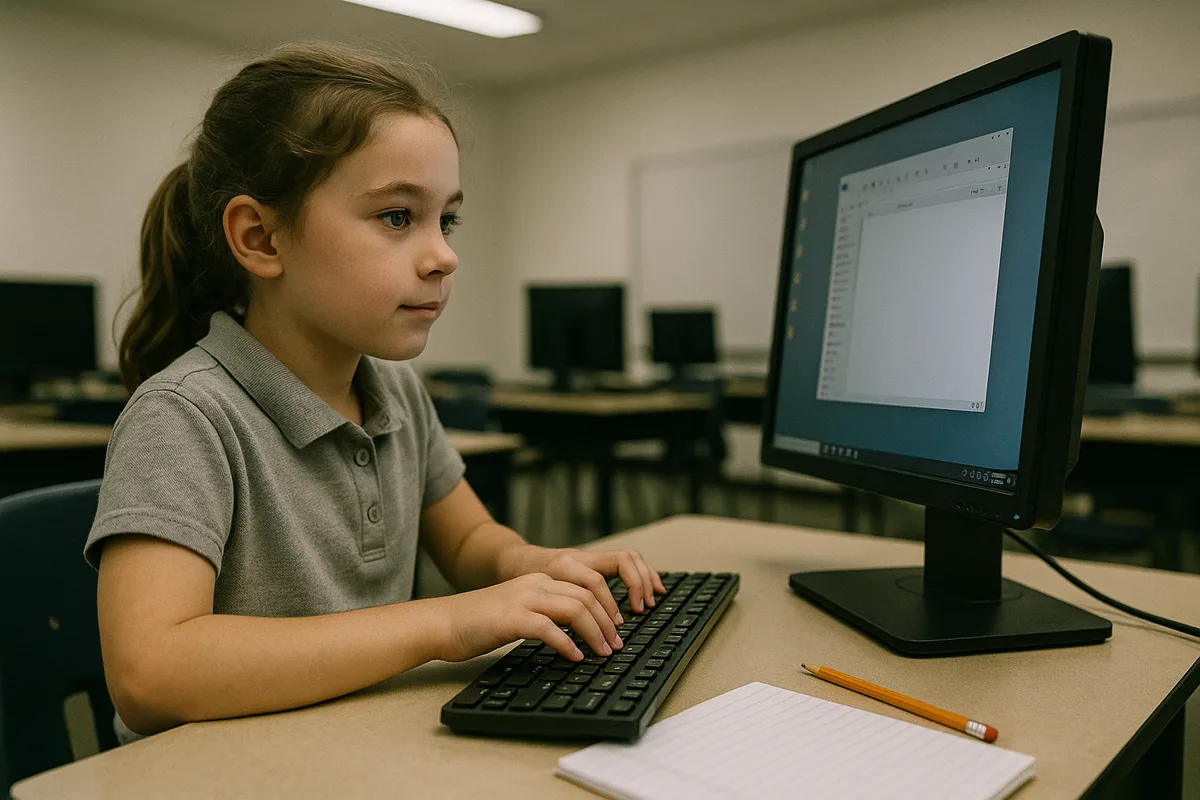
Sessions are hands-on rather than lecture-based: students practice typing through games, organize their own folders, and create simple documents or projects in Microsoft Office or Canva. This class is a strong starting point for younger students who are new to computers, as well as older students who need a solid foundation before moving into coding, game design, or other more advanced Tech Tails classes.
What You'll Learn
Typing & keyboard skills
File management
Internet safety
Email & communication
Cloud storage
Digital citizenship
What they can build
Examples. Every student's path is built around their own interests.
A typing skills game plan
Practice touch typing through structured games and drills on Typing.com, tracking speed and accuracy improvements session by session in a low-pressure format.
An organized digital file system
Create and organize folders in Google Drive for schoolwork, projects, and pictures, learning naming habits and file structure that make finding things easy.
A simple slideshow or poster
Design a short presentation or poster about a favorite topic using Canva or Microsoft Office, practicing layout, text, and basic formatting choices.
A safe internet habits checklist
Work through real examples of safe versus risky online behavior, building practical habits around passwords, personal information, and recognizing suspicious messages or links.
A first email account routine
Learn to write, send, and organize email using Google Workspace, practicing appropriate tone and structure for messages to teachers, family, or friends.
A shared document project
Create and edit a document together in Google Workspace, learning how comments, sharing permissions, and version history work in real digital teamwork.
How Your Student Progresses
- 1
Getting started
New students focus on the physical basics: keyboard familiarity, mouse control, and simple typing practice on Typing.com. They also learn to open, save, and find files, building comfort with a computer's basic layout before moving into any specific software.
- 2
Building skills
Students learn to create simple documents, slideshows, or posters in Microsoft Office or Canva, and start using Google Drive to organize and store their own files. Internet safety becomes a bigger focus here, covering safe browsing habits and recognizing suspicious messages.
- 3
Going further
Students practice email etiquette and collaborative tools in Google Workspace, like shared documents and comments, and build faster, more accurate typing speed. By this stage, most students are ready to move confidently into more advanced Tech Tails classes like coding, Microsoft Office, or website development.
Is this class a good fit?
Basic Computer Skills classes are great for kids who:
- are new to computers and need a patient, step-by-step introduction
- need typing and file organization skills for school assignments
- would benefit from real conversations about staying safe online
- are getting their first personal or family device
- want a solid foundation before starting coding or game design classes
How Classes Work
Private 1-on-1
Every session is a private lesson between your student and their dedicated instructor. No group classes.
Live on Zoom
Classes happen live over Zoom from the comfort of home. All you need is a computer and internet.
Full 1-Hour Sessions
Each session is a full hour of focused, engaging live instruction.
Weekly Schedule
Pick a weekly time that works for your family. Consistent scheduling builds lasting skills.
Tools & Software
Students work with industry-standard tools used by professionals
Tools vary based on student level and project goals
Basic Computer Skills FAQ
What age can my child start basic computer skills classes?
Basic computer skills classes are open to students as young as 6, making it Tech Tails' most accessible starting point for young or first-time computer users. There's no upper age limit either. Older students who are simply new to computers, or need to sharpen specific skills like typing or file organization, are also a great fit.
My child already uses an iPad or phone. Do they still need this class?
Often, yes. Comfort with a touchscreen doesn't always transfer to using a keyboard, mouse, and file system on a computer, which is what school assignments and most other Tech Tails classes require. This class builds those specific skills, like typing, saving files, and navigating folders, that touchscreen use doesn't cover.
What will my child actually do in a basic computer skills class?
Sessions are hands-on and practical: typing practice on Typing.com, organizing files in Google Drive, creating a simple document or slideshow in Microsoft Office or Canva, and working through real examples of safe online behavior. The instructor adjusts activities to the student's age and current comfort level with a computer.
Is this class a good foundation before coding or game design classes?
Yes. Many families use basic computer skills classes to prepare younger or newer students for more advanced Tech Tails subjects. Comfort with typing, file management, and navigating software makes it much easier for a student to focus on new coding or design concepts once they move into those classes.
What equipment does my child need for this class?
A computer, PC or Mac, with a keyboard and mouse, and a stable internet connection for Zoom. Since the class specifically teaches keyboard and file management skills, a tablet or touchscreen-only device isn't a good substitute, even though many of the tools used, like Google Workspace, also have mobile versions.
Keep Exploring
Related classes
Who teaches
- Skyler CameronFull Stack Development Expert
- Evan SternSenior Game Developer
- Austin WeeksUnity & AI Specialist
- Tyler BurgentsGame Development Expert
- Jaycee SalinasGame Developer & AI Specialist
Scholarships
We accept many education scholarships and ESA programs. If you have education funding, we can likely accept it.
Learn MoreReady to Get Started?
Try a full Basic Computer Skills class for free. No payment, no obligation.
Claim Your Free Trial Class