Coding Classes
Learn coding and programming skills while building unique apps, games, and websites!
About This Class
Your student will learn to code by building games, apps, and interactive projects. We teach Python, JavaScript, and other languages through hands-on creation, helping them understand logic, problem-solving, and how software actually works. Students start with fundamentals like variables, loops, and functions, then progress to building their own projects.
Tech Tails' online coding classes for kids teach programming the way it's actually used, by building real games, apps, and websites, not just completing worksheets. In live, 1-on-1 sessions over Zoom, a dedicated instructor personalizes every lesson around what a student wants to build, using languages and tools that match their age and experience. Younger or newer students often start with Scratch, learning core logic through visual blocks, before moving into text-based languages like Python and JavaScript.
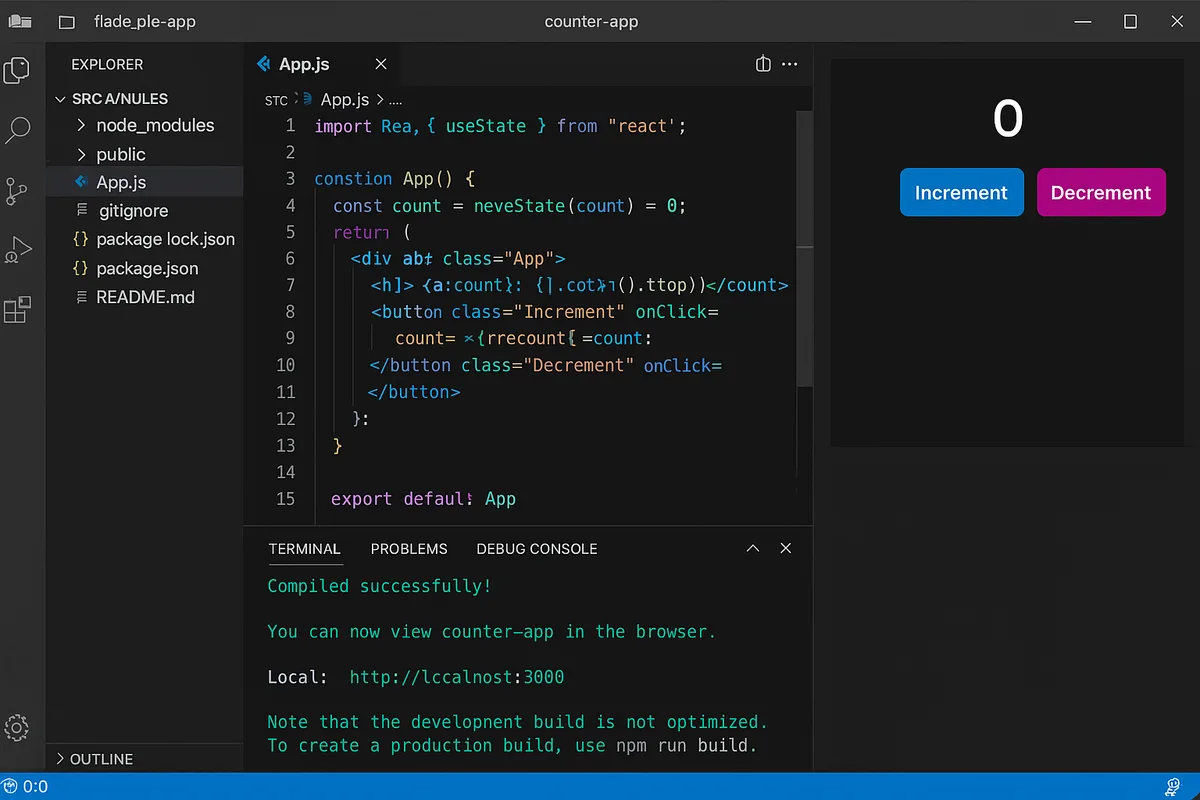
As students progress, they write and run real code in VS Code, use GitHub to track their work, and build small apps and interactive projects with tools like Replit, Node.js, React, and TypeScript. Every session builds on the last, so students steadily move from basic variables and loops toward functions and full working projects.
What You'll Learn
Python
JavaScript
Variables & loops
Functions
Problem-solving
Web development
App development
What they can build
Examples. Every student's path is built around their own interests.
A choose-your-own-adventure game
Build an interactive story with branching choices in Scratch or Python, practicing conditionals and logic while creating something genuinely fun to play through.
A personal website
Combine HTML/CSS and JavaScript to build a simple personal or project website, then write and organize the code in VS Code.
A Python-based game or tool
Create a text-based game, quiz, or simple calculator using Python, learning variables, loops, and functions through a project with a clear, testable goal.
A small interactive web app
Use JavaScript and React to build a small interactive tool, like a to-do list or simple game, that responds to clicks and user input.
A version-controlled coding project
Track changes to a growing project using GitHub, learning how developers save progress, undo mistakes, and organize their work over time.
A rapid-prototype coding exercise
Quickly test and iterate on small JavaScript or Python ideas in Replit, building the habit of trying something, seeing what happens, and adjusting.
How Your Student Progresses
- 1
Getting started
New or younger students typically begin in Scratch, learning sequencing, loops, and conditionals through visual, drag-and-drop blocks rather than typed syntax. This stage builds core computational thinking and usually results in a first playable project, like a simple game or interactive story, within the first few sessions.
- 2
Building skills
Students transition into text-based coding with Python and JavaScript, writing real code in VS Code and learning to read error messages and debug their own work. Projects grow to include small games, simple websites using HTML/CSS, and tools that take real user input.
- 3
Going further
Advanced students work with GitHub for version control and build more substantial projects using Node.js, React, or TypeScript, the kinds of tools used in professional software development. At this stage, students are often working toward a portfolio piece, like a functioning app or website they can point to and explain.
Is this class a good fit?
Coding classes are great for kids who:
- enjoy logic puzzles, patterns, and figuring out how things work
- want to build actual games, apps, or websites, not just complete worksheets
- are comfortable with some trial and error while debugging
- are curious about a future in software or computer science
- learn well when a project is personalized to their own interests
How Classes Work
Private 1-on-1
Every session is a private lesson between your student and their dedicated instructor. No group classes.
Live on Zoom
Classes happen live over Zoom from the comfort of home. All you need is a computer and internet.
Full 1-Hour Sessions
Each session is a full hour of focused, engaging live instruction.
Weekly Schedule
Pick a weekly time that works for your family. Consistent scheduling builds lasting skills.
Tools & Software
Students work with industry-standard tools used by professionals
Tools vary based on student level and project goals
Coding FAQ
What age can my child start coding classes?
Tech Tails' coding classes are open to students ages 7 and up. Younger students usually start with visual, block-based coding in Scratch, while older or more experienced students can move directly into Python or JavaScript. Because every class is 1-on-1, the instructor sets the starting point based on your child's age and any prior experience.
What programming language should my child learn first?
For most beginners, Scratch is the best starting point because it teaches core logic without the frustration of typing exact syntax. From there, Python is a common next step because it reads similarly to plain English, followed by JavaScript for students interested in websites or interactive projects. Your instructor will recommend a path based on your child's goals.
Does my child need any coding experience to start?
No. Most students start with zero coding background. Sessions begin wherever your child currently is, whether that's a total beginner or someone who has already tried Scratch or Python on their own, and build from there at a personalized pace rather than a fixed curriculum timeline.
What will my child actually build in coding classes?
Sessions are project-based from early on, so students build real, working things: games, simple websites, interactive stories, and small apps, rather than working through disconnected exercises. Projects use tools like Scratch, Python, JavaScript, and eventually React or Node.js, chosen to match the student's interests and skill level.
How is online coding different from an in-person coding camp?
Online coding classes are live and 1-on-1, so your child gets an instructor's full attention for the entire session rather than sharing time with a group. Classes happen weekly on a recurring schedule from home over Zoom, without the scheduling limits, travel, or one-time format of a camp.
Keep Exploring
Parent guides
Who teaches
- Skyler CameronFull Stack Development Expert
- Evan SternSenior Game Developer
- Austin WeeksUnity & AI Specialist
- Tyler BurgentsGame Development Expert
- Jaycee SalinasGame Developer & AI Specialist
Scholarships
We accept many education scholarships and ESA programs. If you have education funding, we can likely accept it.
Learn MoreReady to Get Started?
Try a full Coding class for free. No payment, no obligation.
Claim Your Free Trial Class