Game Design Classes
Transform your student's enthusiasm for video games into the creativity of designing their own!
About This Class
Your student will learn the complete game development process -- from designing characters and levels to coding gameplay mechanics. Using tools like Unity, Roblox Studio, and Scratch, they'll build games they can actually play and share. Students learn level design, character creation, game mechanics, and coding for gameplay.
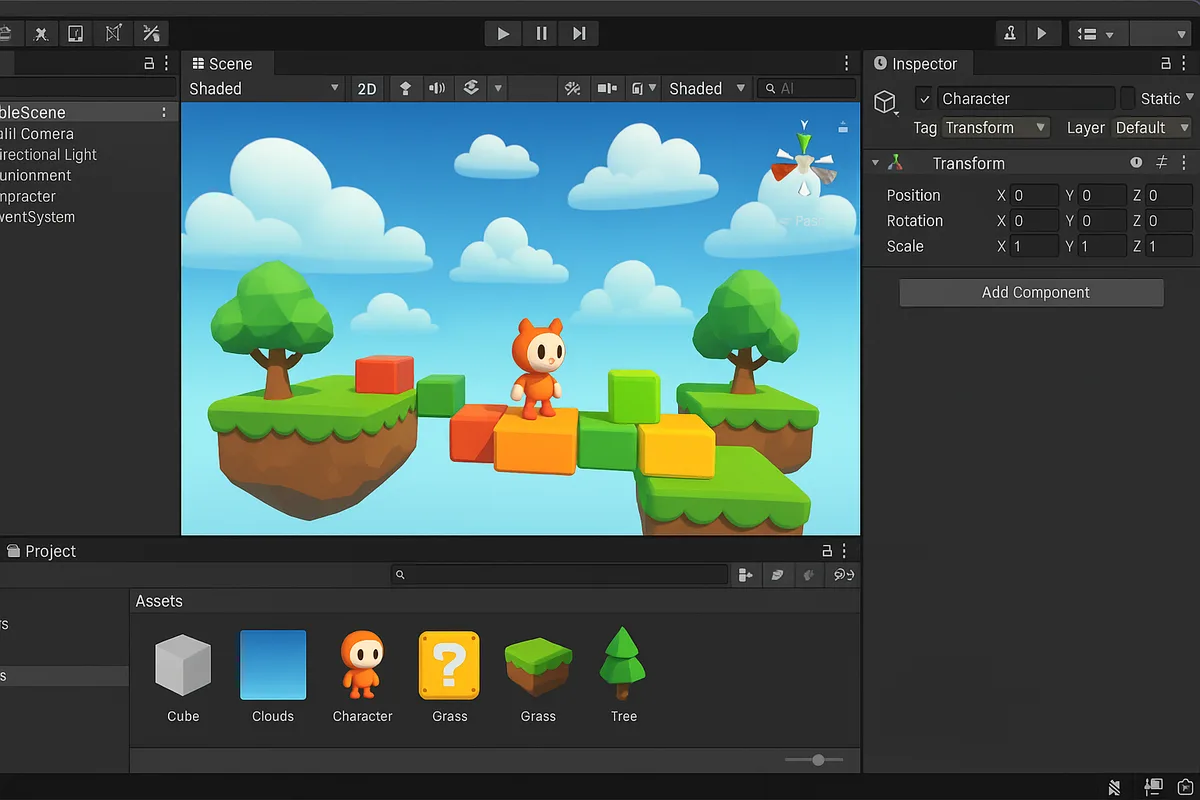
Tech Tails' game design classes for kids give students a private, 1-on-1 space to turn the games they love playing into games they build themselves. Each week they meet live over Zoom with a dedicated instructor who walks them through the process game developers actually use: sketching a concept, blocking out a level, coding the rules that make it playable, and testing until it feels right. Sessions use tools like Unity, Roblox Studio, Scratch, and Construct 3, chosen to match the student's age and goals.
A younger student might start with drag-and-drop logic in Scratch, while an older student dives into C# in Unity. Because the curriculum is personalized, two students the same age can be working on completely different games at completely different paces.
What You'll Learn
Level design
Character creation
Game mechanics
Gameplay coding
Storytelling
Creative problem-solving
What they can build
Examples. Every student's path is built around their own interests.
A platformer with hand-built levels
Design and block out jumping puzzles and enemy placement in Construct 3 or Unity, then playtest and adjust difficulty until the level actually feels fun to finish.
A Roblox obby or adventure map
Build an obstacle course or explorable world in Roblox Studio, script checkpoints and win conditions in Lua, and publish it for friends to play.
A top-down adventure game
Use Scratch or GDevelop to design a character that moves through rooms, collects items, and faces simple enemies, learning event-based logic along the way.
A boss fight with custom mechanics
Program attack patterns and a health bar in Unity or Godot using C#, learning how games balance challenge and fairness through playtesting.
Pixel art and sprites for their own game
Create original character and environment art in Piskel, then import it into their game engine so every asset feels like their own creation.
A multiplayer mini-game
Take a finished single-player concept and adapt it so a second player can join in Roblox Studio or Unity, tackling shared-world logic for the first time.
How Your Student Progresses
- 1
Getting started
New students usually begin in Scratch or Roblox Studio, learning how games are built from small, testable pieces: sprites, events, and simple rules. They finish a first playable project, often a simple maze or catch game, within the first few sessions, building confidence before any real coding syntax is introduced.
- 2
Building skills
As comfort grows, students move into Construct 3, GDevelop, or deeper into Roblox Studio and Lua scripting, adding features like scoring, inventories, and multiple levels. They start reading and writing real code instead of only visual blocks, and begin thinking about pacing and what makes a game fun to replay.
- 3
Going further
Students ready for more take on Unity, Unreal Engine, or Godot with C#, building original mechanics like enemy behavior, physics puzzles, or boss fights from scratch. At this stage they're often working toward a portfolio piece: a finished game they can share, submit to a school project, or show off to friends.
Is this class a good fit?
Game Design classes are great for kids who:
- love playing video games and want to know how they're made
- enjoy both the creative side of design and the logic side of programming
- learn best by building something playable rather than reading about theory
- want a project they can finish, share, and keep improving over time
- are curious about a future in game development or software
How Classes Work
Private 1-on-1
Every session is a private lesson between your student and their dedicated instructor. No group classes.
Live on Zoom
Classes happen live over Zoom from the comfort of home. All you need is a computer and internet.
Full 1-Hour Sessions
Each session is a full hour of focused, engaging live instruction.
Weekly Schedule
Pick a weekly time that works for your family. Consistent scheduling builds lasting skills.
Tools & Software
Students work with industry-standard tools used by professionals
Tools vary based on student level and project goals
Game Design FAQ
What age can my child start game design classes?
Tech Tails' game design classes are open to students ages 7 and up. Younger students typically start with visual, drag-and-drop tools like Scratch, while teens can move straight into professional tools like Unity or Unreal Engine. Since every class is 1-on-1, the instructor adjusts the starting point to match your child's age and prior experience rather than a fixed grade level.
Does my child need coding experience before starting?
No. Many students start with zero coding background and begin with visual tools like Scratch or Roblox Studio, where game logic is built from blocks instead of typed code. As they get comfortable, instructors introduce real programming languages like Lua or C# at a pace that matches the student, not a fixed timeline.
Will my child actually finish a real game, or just do exercises?
Sessions are project-based, so students build a playable game from the first few classes rather than working through isolated drills. Early projects are small, like a simple maze or platformer level, and grow in scope over time. Many students end up with a small portfolio of finished, shareable games.
What software does my child need for game design classes?
It depends on the tools chosen for their curriculum. Free options like Scratch, Roblox Studio, GDevelop, and Godot cover most beginner and intermediate projects at no cost. Unity and Unreal Engine, used with older or more advanced students, are also free to download. The instructor will confirm exactly what to install before each stage.
Can Tech Tails help my child prepare for a future in game development?
Game design classes introduce the real workflow behind development: level design, character creation, gameplay coding, and iteration based on playtesting. Instructors bring project experience for brands like Disney, Activision, and Riot Games into how they teach that process, and older, motivated students can build sessions toward a portfolio of finished projects.
Keep Exploring
Related classes
Parent guides
Who teaches
- Skyler CameronFull Stack Development Expert
- Evan SternSenior Game Developer
- Austin WeeksUnity & AI Specialist
- Tyler BurgentsGame Development Expert
- Jaycee SalinasGame Developer & AI Specialist
Scholarships
We accept many education scholarships and ESA programs. If you have education funding, we can likely accept it.
Learn MoreReady to Get Started?
Try a full Game Design class for free. No payment, no obligation.
Claim Your Free Trial Class